THE
CONSTRUCTION
APP
● Beta
Field & office software for the trades

So simple your crew actually uses it.

For the owner, the foreman, and the apprentice trying not to chop a finger off — we built this for you.

Sign up
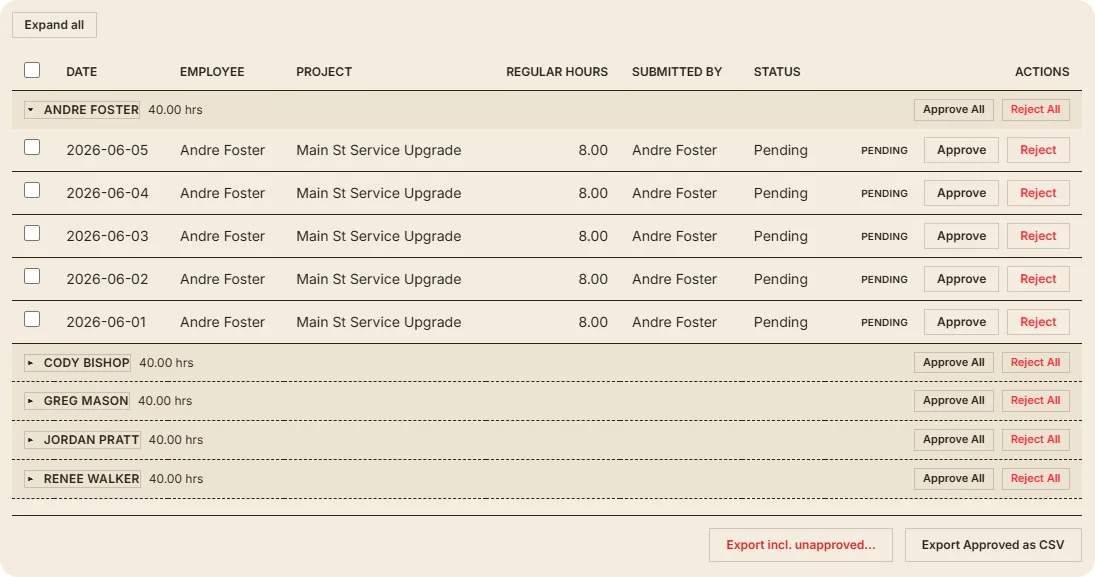
Payroll review — each crew member’s hours grouped by pay period, ready to approve and export
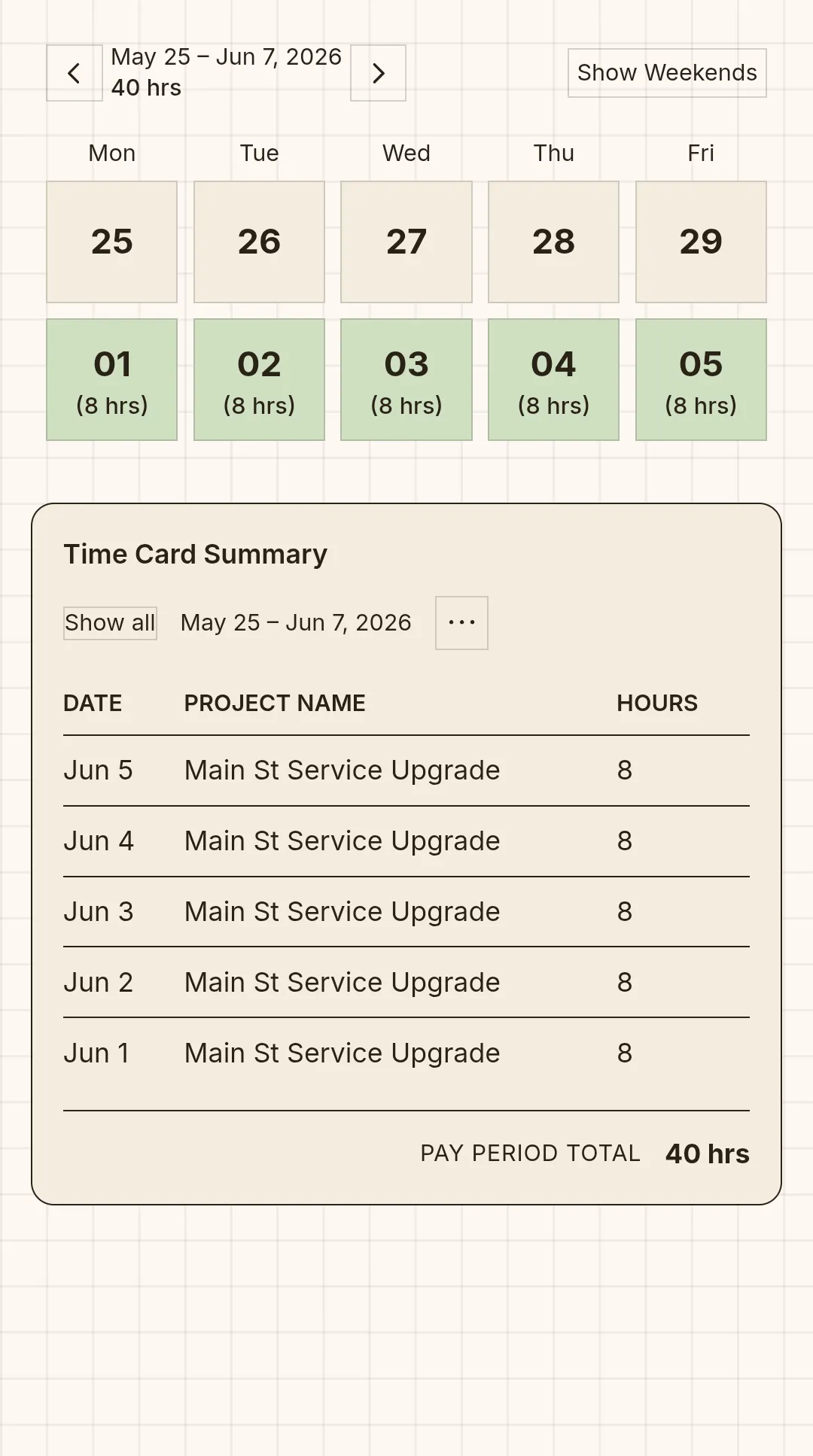
A time card on a phone — a week of daily hours, entered from the truck
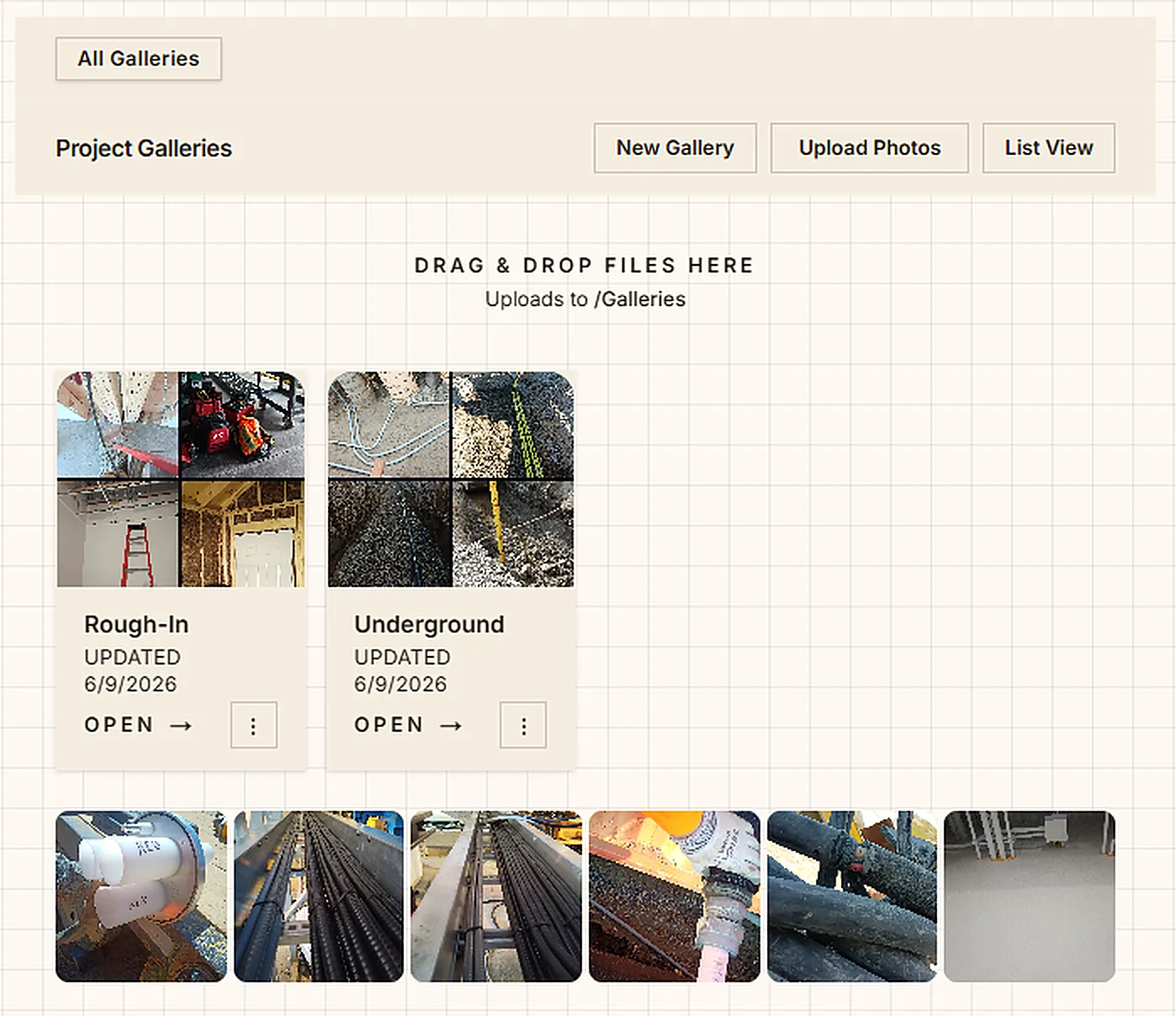
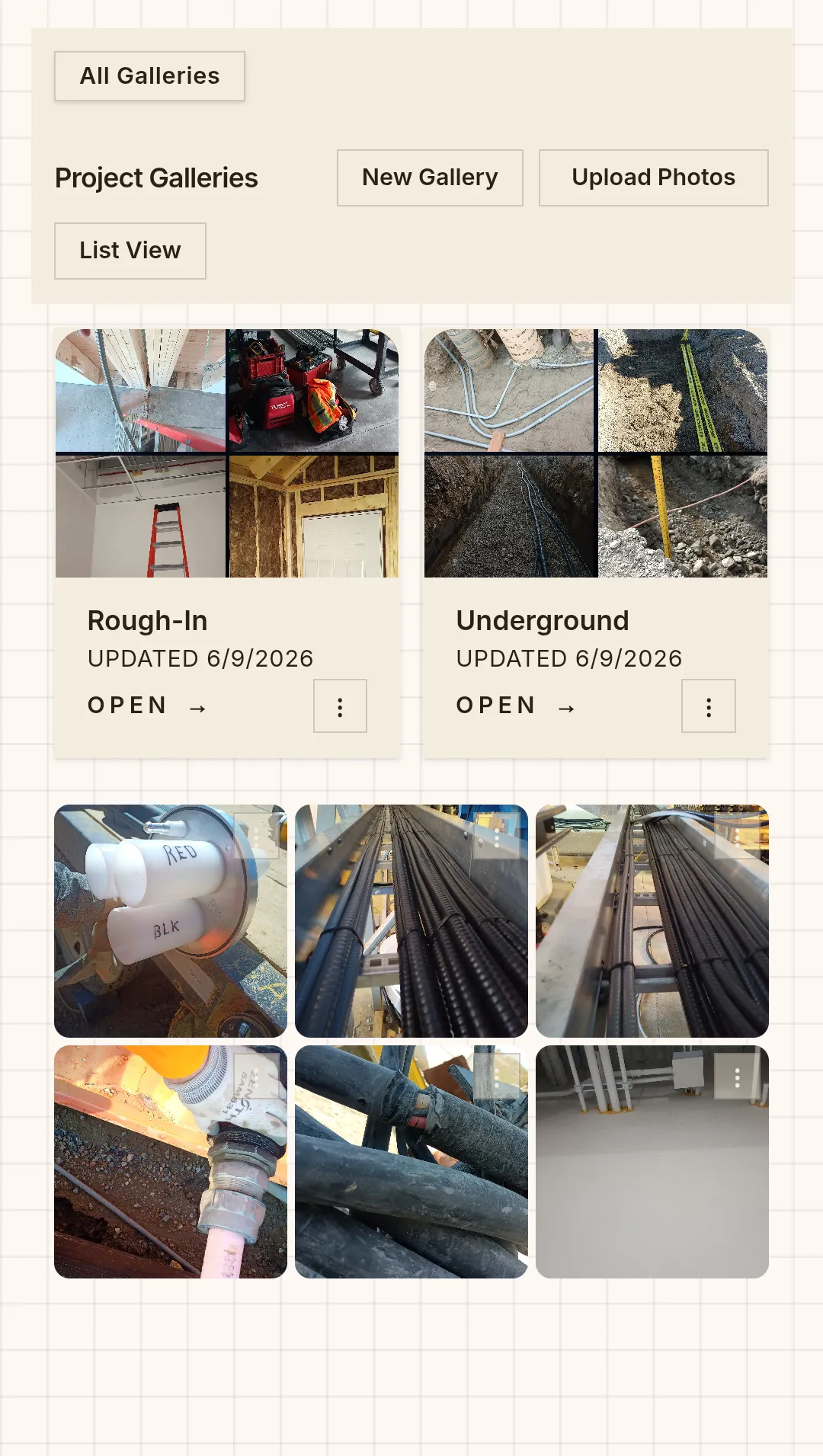
Job photo galleries organized by project
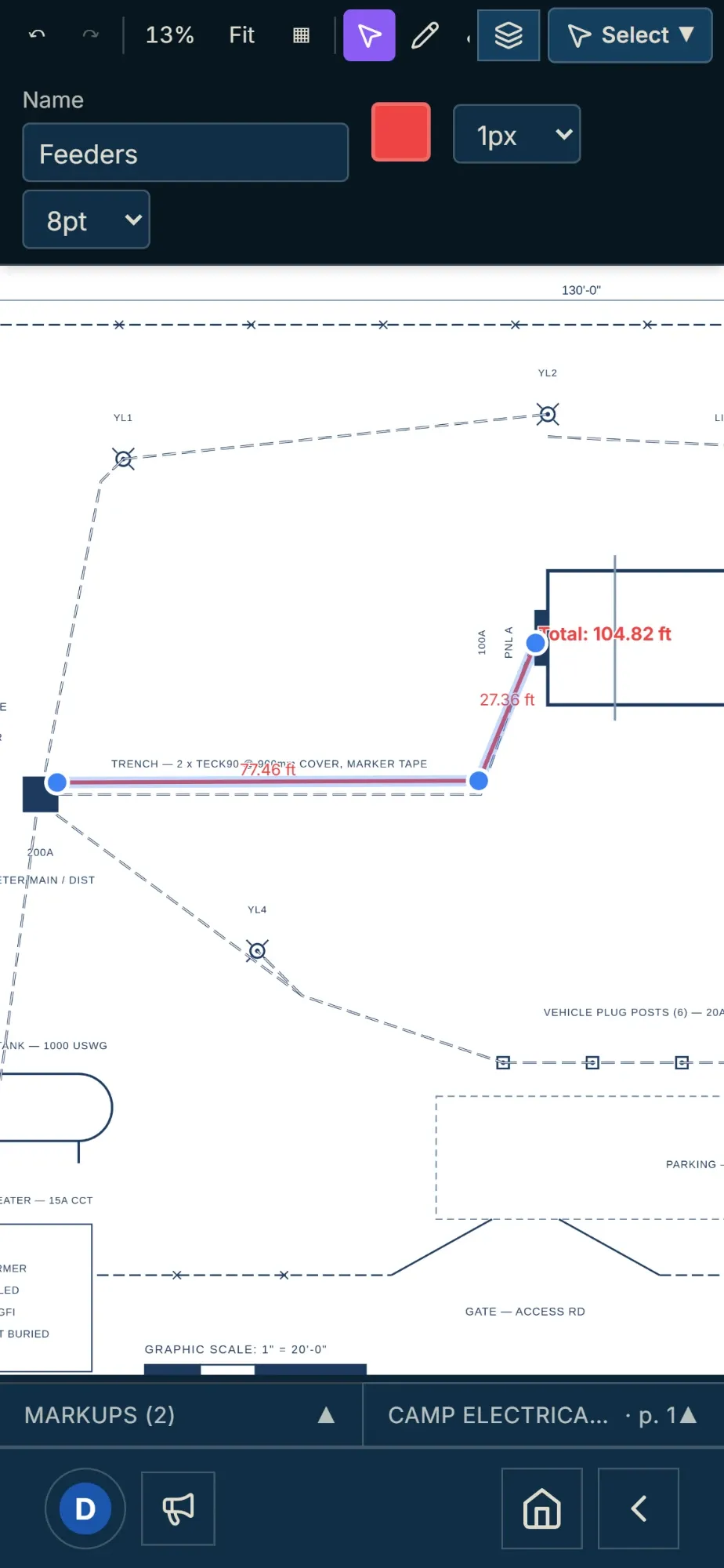
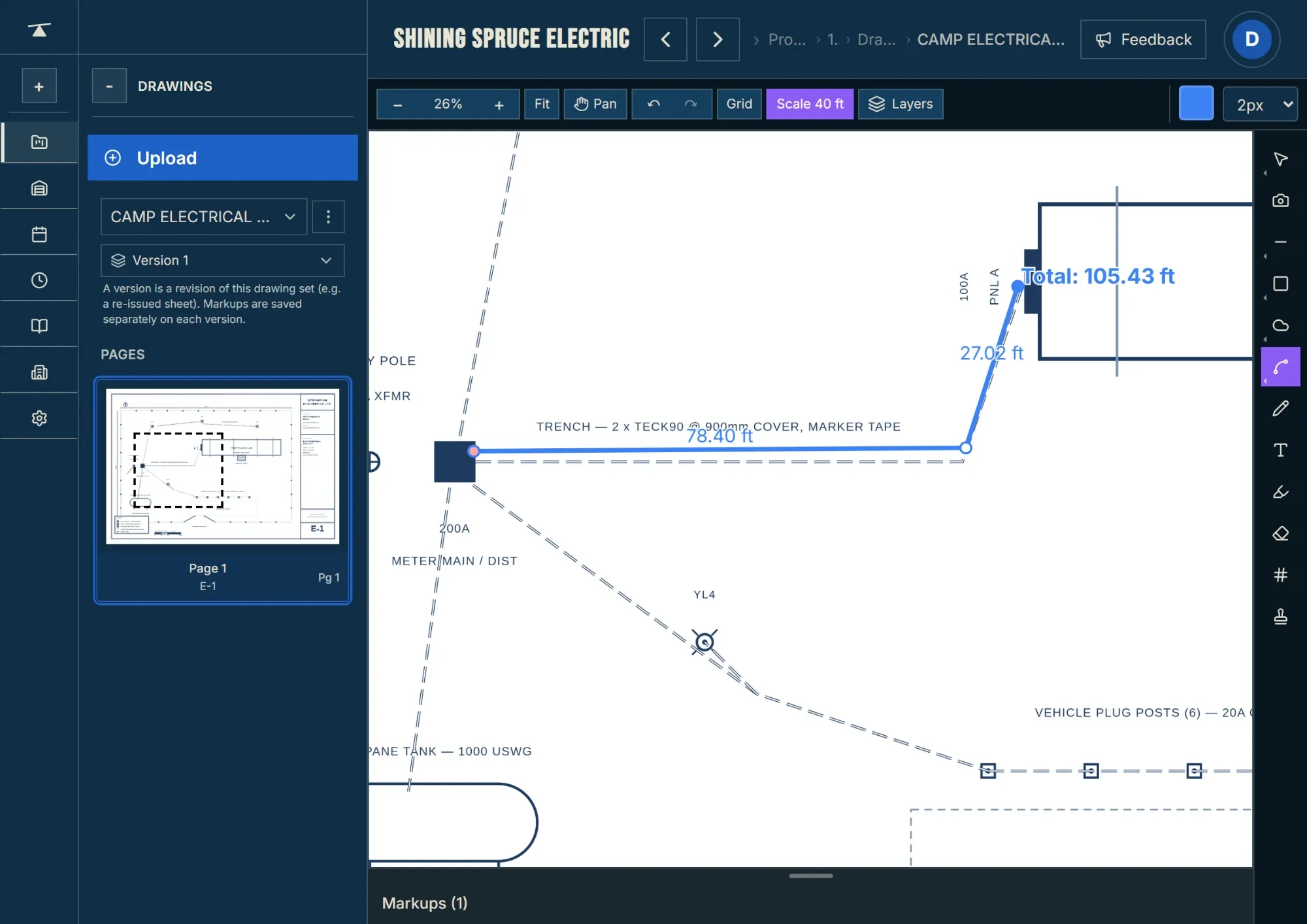
A floor plan marked up on screen — circuits clouded, symbols counted
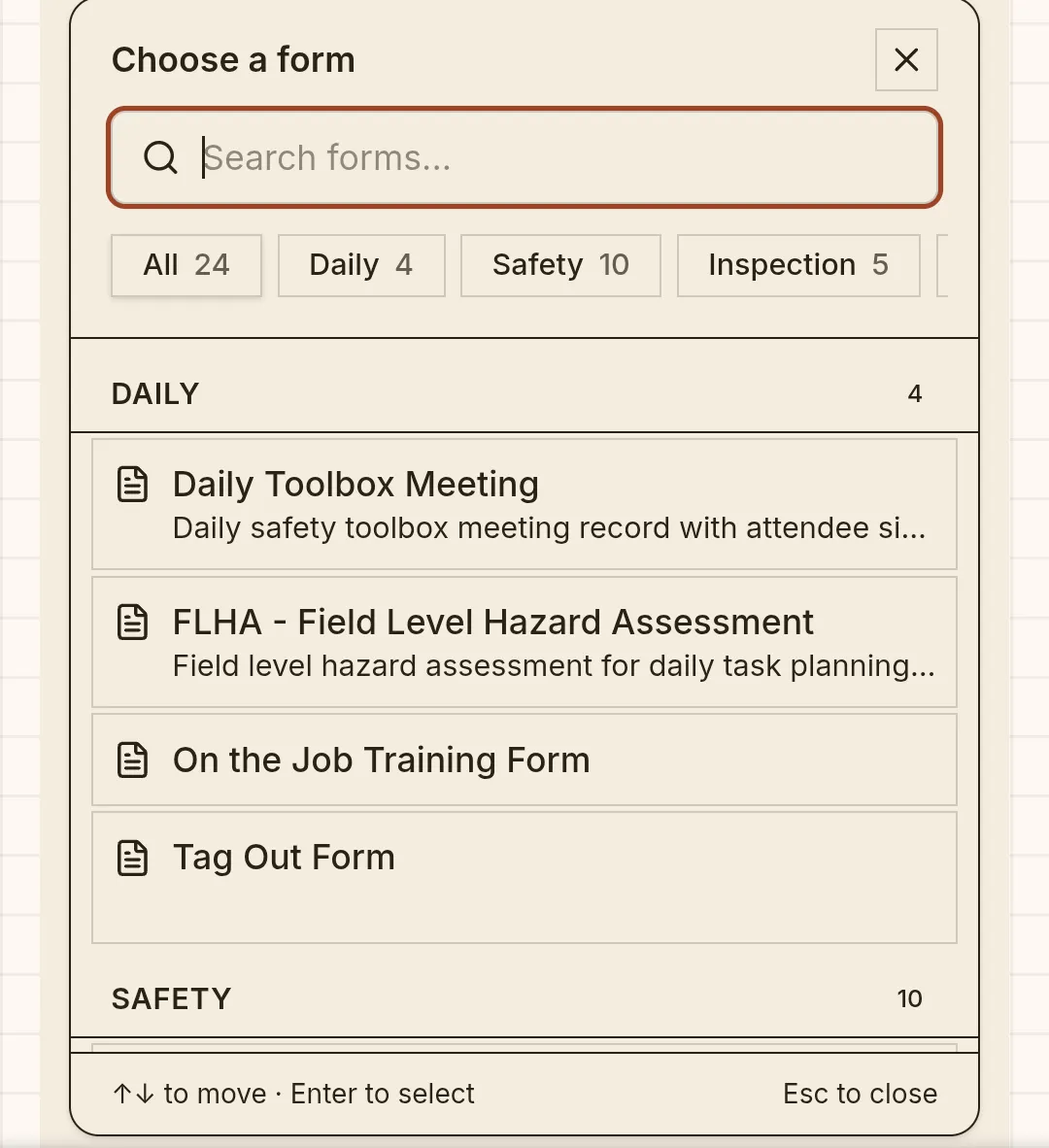
The form picker — daily, safety, and inspection forms
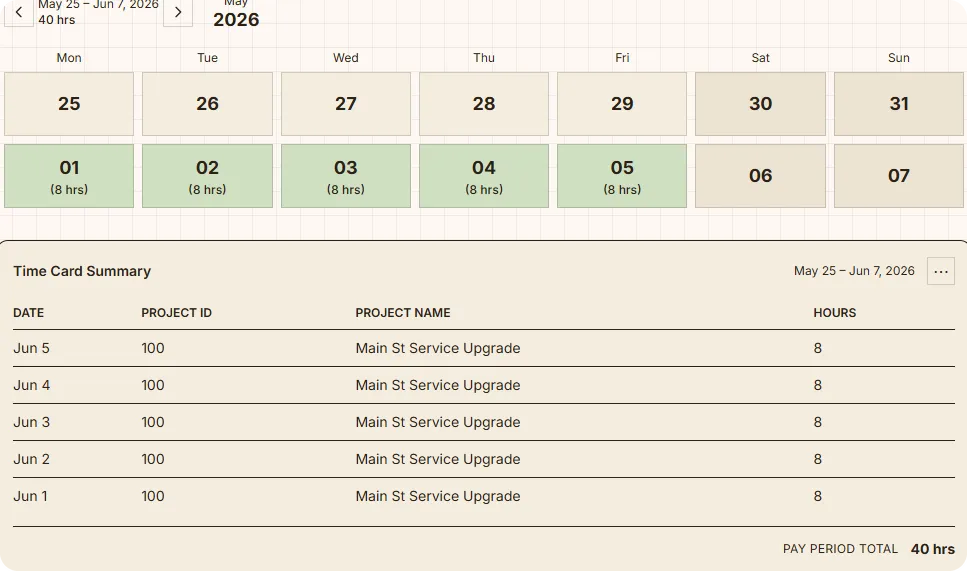
A crew member’s week of daily hours with the pay-period total
Photo galleries on a phone — shot and sorted from the field
A drawing set, versioned and ready to mark up
We're building this with you

It's a beta — and that's the point.

We're building this for the construction world that needs it, and we're building it in the open. If something's clunky, missing, or could be better — tell us. The crews using it now are shaping what it becomes.

Give us feedback

Or email us at feedback@theconstructionapp.ca

Roadmap

What's built, and what's coming.

Everything here is in the app today — except the last group, which is coming soon.

Live now
  • Time cards filled out in the field, with phases, cost codes, pay types, and overtime
  • Approving or rejecting time cards, one person at a time or in bulk
  • Payroll export to Sage 100 and to a CSV for your accountant, with validation; a pay period can be re-sent after it's been sent
  • A form builder: upload a PDF, Word doc, or photo of a form you already use, and turn it into a reusable, fillable template — with signatures, inspection rows, and categories
  • A history of completed forms, each exportable as a PDF with your logo and company header
  • Daily forms drafted automatically for the crew
  • An overview page for each project
  • A task list for each project
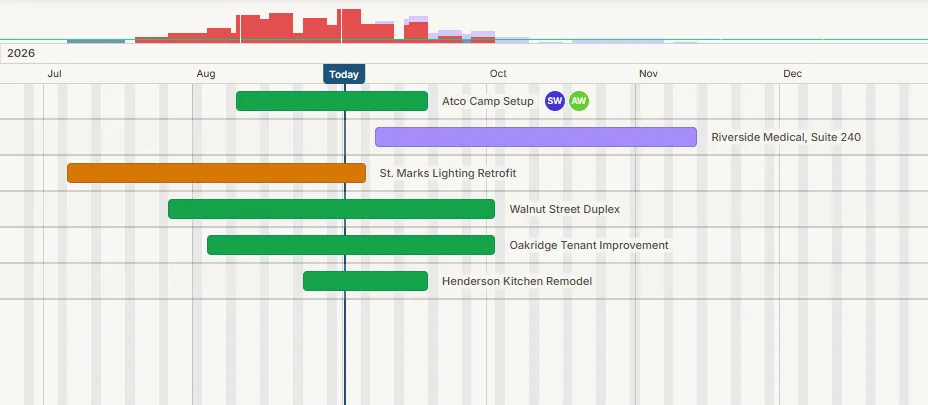
  • A project calendar, with events added by project or by person
  • Drawings on desktop and mobile: version history, on-screen markup and measuring, and set previews
  • Photo galleries, by project or company-wide
  • A document library, by project or company-wide
  • Permissions you can set three ways: by role (Admin, Foreman, Crew), by individual user, or per project
  • Naming drawing sets and sheets, instead of using filenames
What's inside

Everything a crew runs on — in one place.

Time Cards

Punch in from the truck. No paper lost in a glovebox.

Projects

Every job's photos, drawings, forms and docs in one place.

Payroll

Hours next to every name. Approve, then export to your books.

Forms

Built from your own PDFs. Safety, reports, inspections.

Drawings & Markups

Redline sheets, track versions, measure on screen.

Photos

Bulk upload from the field. Organized by project.

Documents

Submittals, cut sheets, paperwork — project or company-wide.

Calendar

Schedule by project. It doesn't reset on you.

Time cards from the field

The whole week, entered from the truck.

Your crew logs their own hours — the days they actually worked, the phases and cost codes that matter. You see the week at a glance, approve it, and it’s ready for payroll. No paper lost in a glovebox, no Friday-night math.

Time card summary — a crew member's week of daily hours with the pay-period total
The same week on a phone — daily hours and pay-period total, entered from the truck
Payroll, approved and out the door

Approve the week. Export to your books.

Every crew member’s hours land next to their name, grouped and totaled by pay period. Review what they submitted, approve it, and export a clean CSV straight to your accountant or payroll software — no re-keying, no Friday-night math.

Payroll review — each crew member's hours grouped by pay period, ready to approve and export to CSV
Forms, built from your paperwork

Drop in a PDF. Get a digital form.

Snap a photo or upload a PDF of a form you already use — a safety checklist, a daily report, an inspection sheet. It becomes a fillable digital form, signatures and all. No rebuilding from scratch, no IT project.

The form picker — choose from your library of daily, safety, and inspection forms
A Field Level Hazard Assessment filled out in the field — tasks, hazards, priority, and controls
Signing off a completed form — name, role, and a finger-drawn signature
Drawings you can mark up

The latest set, in your pocket.

Open any sheet, pan and zoom, and redline it right there — clouds, callouts, measurements, counts, versions. No more digging through email for the current drawing, no more “which revision is this?”

A floor plan with redline markups — lighting circuits and electrical symbols clouded and counted
The markups panel tracking counter groups — Living Room Lights, 5 items — ready to publish the page
Job photos that don’t get lost

Every wall cavity, before the drywall goes up.

Your crew shoots the rough-in, the underground, the one weird splice they’ll need to find again in six months — and it lands in a shared gallery by project. No more texting “you got a pic of that?” No more 7,000 photos buried on one guy’s phone.

The Photos module — project galleries like Rough-In and Underground shown as thumbnail mosaics, with a strip of individual jobsite photos below
The same photo galleries on a phone — shot and sorted from the field
Our story

We’re two contractors with 27 years between us. Residential, commercial from small jobs to large, and industrial work. We’ve run all of it. The work was never the hard part. Keeping track of everything around it was.

Every new job started from scratch. No system, so you’d build one again, and still nobody knew where the drawings were or what they were supposed to be filling out. Photos lived on whoever’s phone happened to take them. You get tired of texting the whole crew hunting for one photo you’re not even sure exists. “Hey, anybody got pictures of the groundwork on that job?” As-builts got done from memory at the end, the first time anyone finally sat down at a computer. And when somebody left the company, everything they knew about those jobs walked out the door with them. We went looking for software to fix it, but everything on the market was built for big outfits with an admin department doing data entry. Every feature pay-gated, a sales call and paid onboarding before you could even try it, a year paid up front, and then you’re locked in.

So we built the thing we wanted on the job, for any shop, any trade. The parts you actually use, in one place, on your phone, where the work is. It’s a fair price, it does a lot, and you come and go as you please. Try it with almost nothing down, and we keep making it better off what real shops tell us they need. Made for the field. Your data stays yours.

Pricing

Priced per seat. No runaround.

Same deal for everyone — owner or crew. Priced per seat, the way a crew grows.

● Per seat
$20 / seat / month
First month free — on every seat.
What every seat gets today
  • Project organization
  • Time cards & payroll (with CSV export)
  • Forms, drawings, photos, documents, calendar & tasks
  • Roles & permissions — by role, user, or project
Start your free month

First month free — no “contact sales,” no enterprise runaround.